Custom Lightbox UX Design
UX design | UI design | Coding
Background
I have a dedicated section on my website to showcase my photography. It is essential to have a well-designed lightbox, which is a web component to display images in full screen. However, none of the existing lightbox designs met all my functional and aesthetic requirements. So, I decided to design and code my own from scratch.
Design requirements
- Intuitive to use
- lightweight, smooth, and robust
- Consistent experience across desktop (keyboard & mouse) and mobile (touch)
Design solution
Combining UX design principles with front-end development skills allowed me to create an interface that feels intuitive, performs smoothly, and works seamlessly across devices. The lightbox is built entirely with JavaScript and CSS, without relying on external libraries.
Core Components
- Stage image that automatically adapts to different screen sizes and aspect ratios
- Bottom thumbnail row for a visual overview
- Image count in the top-left corner for a quick overview
- Optional caption for certain images
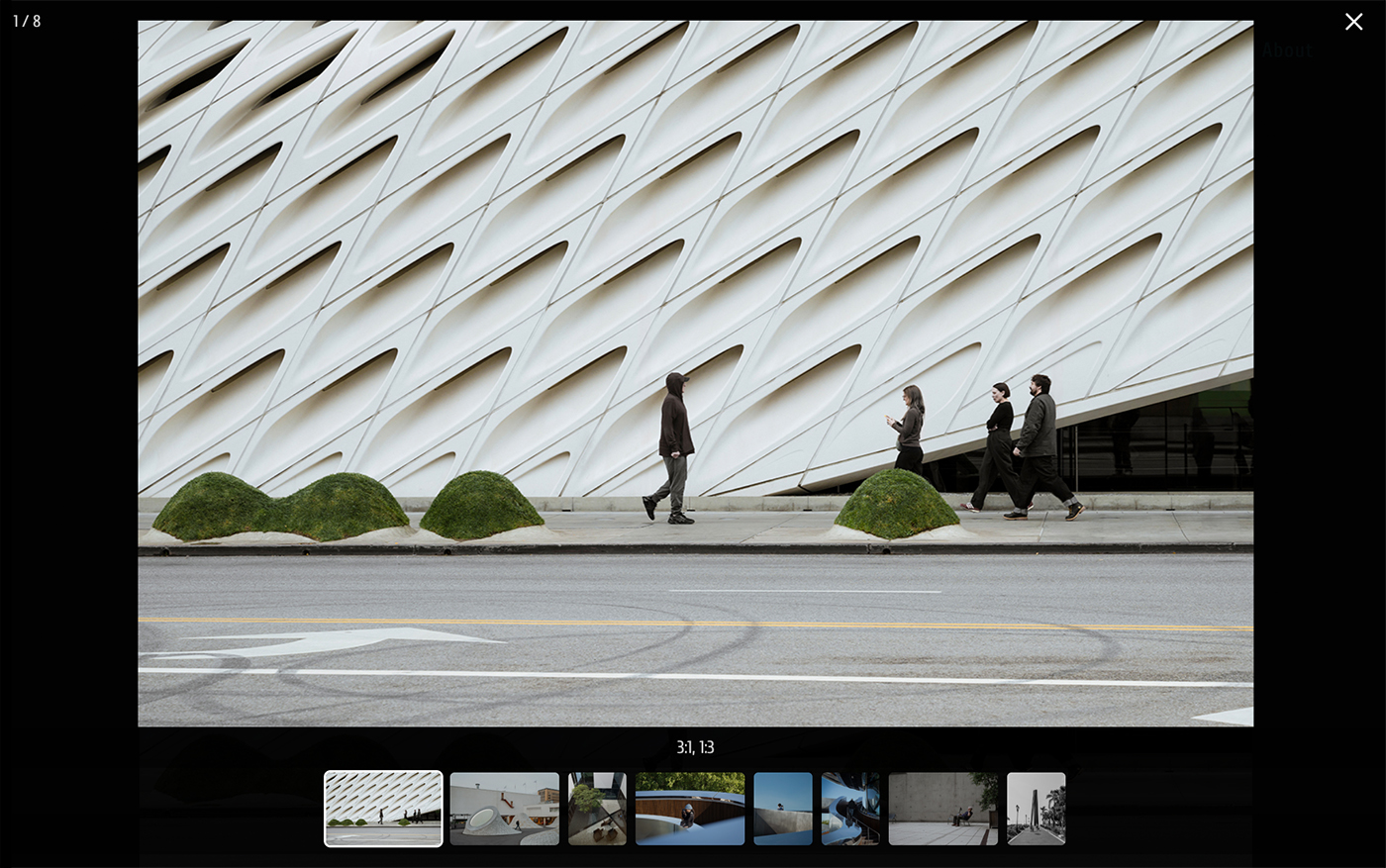
Desktop Interaction
- Keyboard:
- Left/Right arrows — navigate between images
- Esc — exit
- Mouse:
- Click left/right halves of the image area — previous/next image
- Click thumbnails — jump to a specific image
- Click blank area or close button — exit
- Cursor updates dynamically to indicate its function
Mobile Interaction
- Swipe left/right or tap left/right halves — navigate images
- Tap thumbnails — jump to a specific image
- Tap blank area or close button — exit
- Swipe down — exit (ergonomic for both left- and right-handed users)
Bonus Features
- Swipe-down to exit: intuitive for both left- and right-handed users, eliminating the need to reach for the top-close button
- Entry and transition animations: subtle motion effects enhance the browsing experience without adding visual noise
This project bridges UX design and front-end engineering — translating design intent directly into final web component. The result is a clean, responsive, and fluid lightbox experience, purpose-built for my website. Feel free to try it for yourself in any photography gallery using the custom lightbox .